Music from Bifteki Taxi Synthesized live in your browser
Original renderer capture · Ultra
020 / WebGPU renderer & benchmark
Vicolo Benchmark
A quiet walk. A very busy GPU.
Follow a lantern-lit Mediterranean alley down to the sea. Scrub from afternoon to moonlight, watch the shadows swing, then measure what it takes to draw it all.
Requires a WebGPU-capable browser and GPU over HTTPS. Desktop recommended for benchmarking. No WebGL fallback. The tour starts first; choose Run benchmark when you are ready.
96 frames / scene12 timed batches of 8, after warm-up
Vicolo v1Per-scene timings + JSON export
Under the light
There is no little city model hiding behind the view.
The atmosphere comes from code: distance fields, moving probes, simulated ropes and light sampled through the air.
01 / Geometry
The street is a distance function.
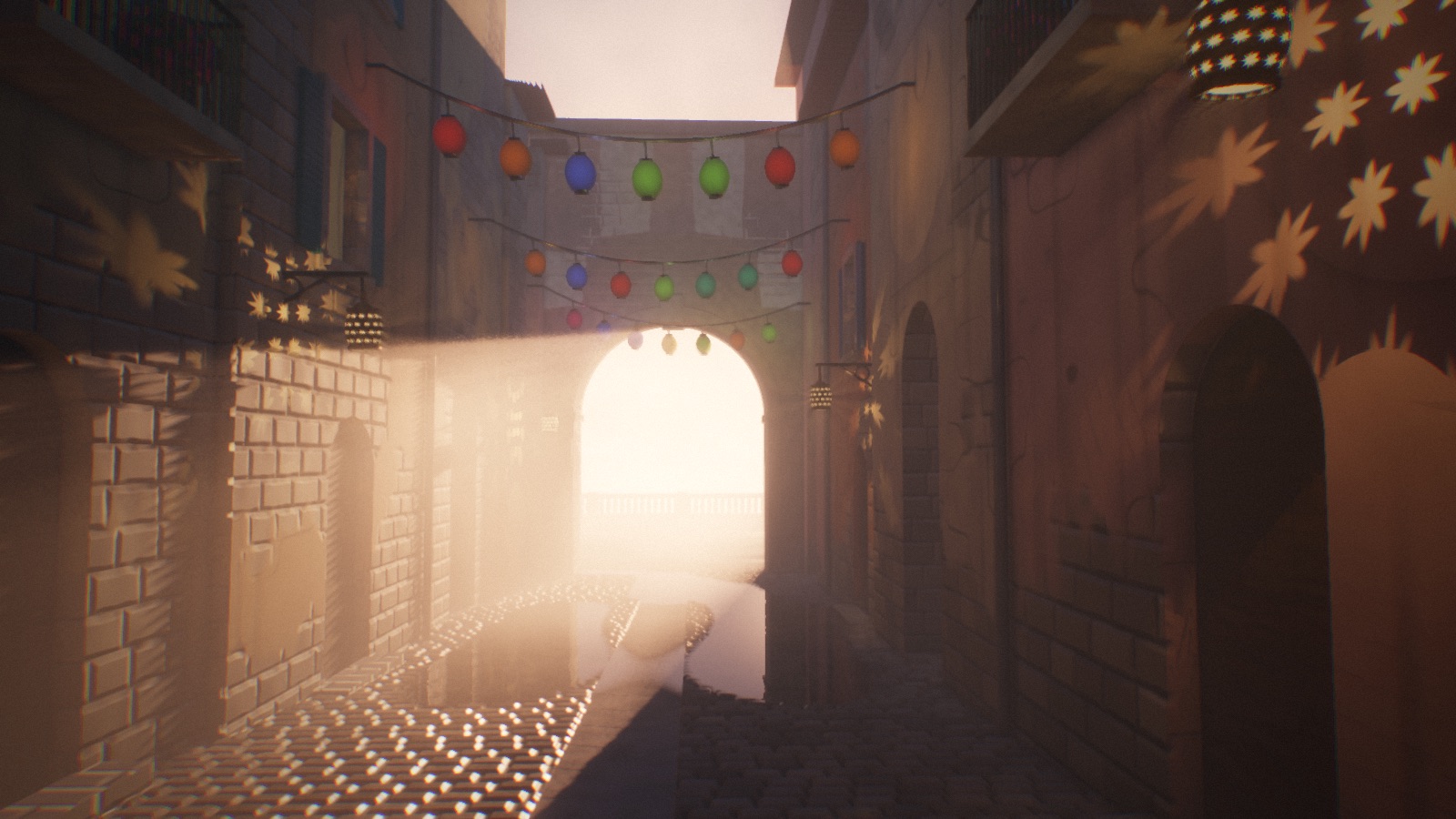
Walls, cobbles, balconies and the coastal terrain are defined in shaders. Rays march toward those surfaces instead of drawing a conventional mesh city. Distant facade details drop away; Ultra adds nearby stone relief and traced reflections on smooth surfaces. This is software ray tracing in WebGPU shaders, not a hardware-RT benchmark.
02 / Light transport
Let the alley borrow light from itself.
A scrolling grid of 384 irradiance probes follows the camera. Rays sample the scene, and the previous frame’s probes feed light back into the next update. Depth moments and directional weights limit light leaking through walls. It is DDGI-style dynamic bounce lighting—not an offline bake or a reference path tracer.
03 / Moving shadows
A swinging lantern should move more than its glow.
Compute shaders simulate the lampion ropes with Verlet integration and position-based constraints. The moving shapes enter the traced shadow map. Pierced lanterns cast star-shaped light, and volumetric samples turn those patterns into beams through the haze.
04 / Temporal rendering
Spend several frames on one convincing picture.
Subpixel jitter, depth reprojection and history clipping stabilize the image and its dithered light shafts. Bloom and tone mapping finish the scene. The interactive tour adjusts its traced pixel budget; the benchmark locks its resolution and quality instead.
Benchmark / know what you compare
The window can change. The workload should not.
The benchmark forces High quality and a 1600 × 900 offscreen target. It steps simulation at 1/30 second, uses fixed scene starting points, and warms up each scene for at least 1.5 seconds before timing.
Alley · afternoon
Primary tracing, shadows and bounce light
Alley · golden hour
Sun shafts sampled through the shadow map
Sea gate · dusk
Alley and coastal geometry sharing the frame
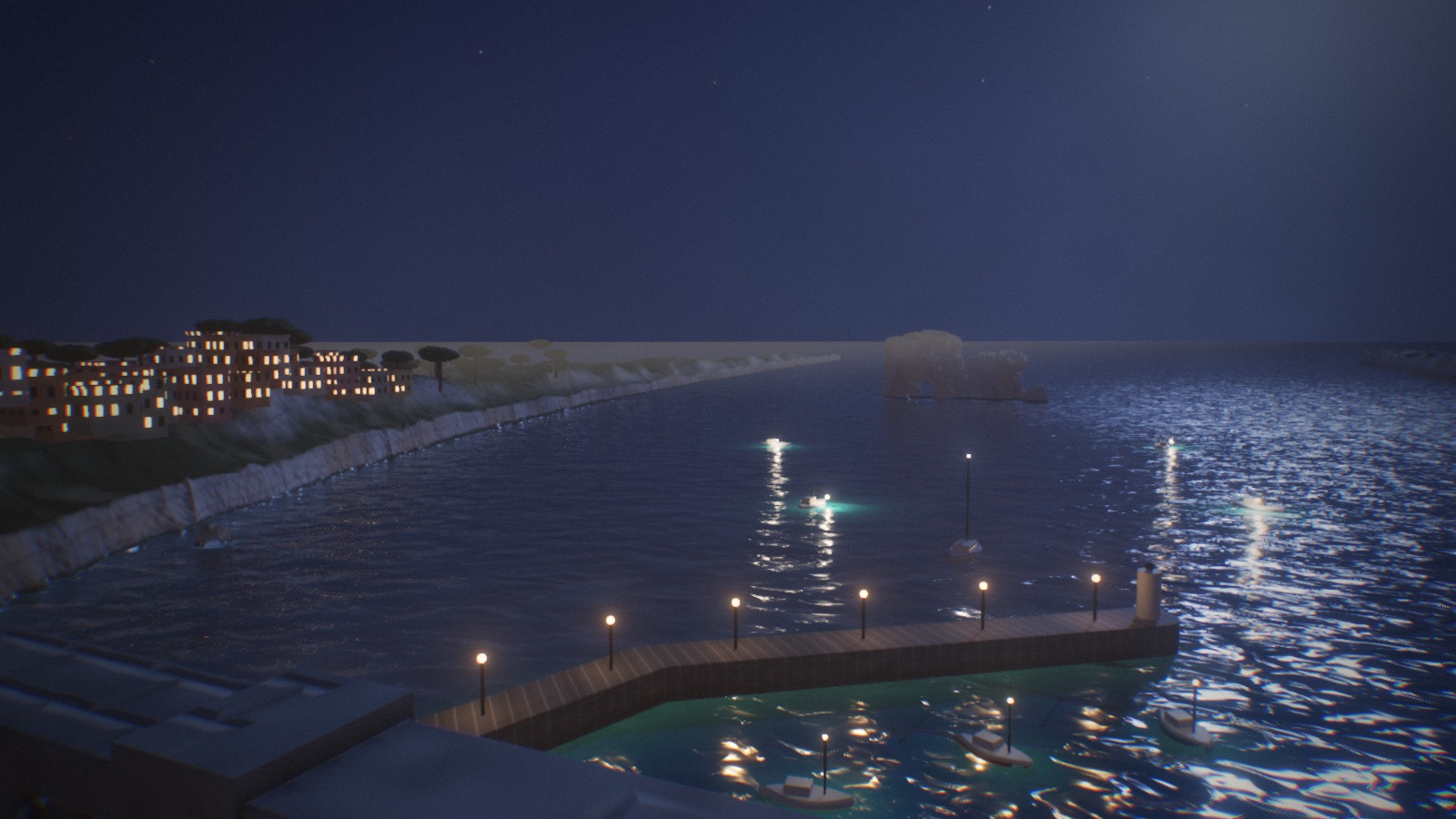
Bay · night
Water, terrain, coastal lights and lighthouse beams
Frames are submitted in batches, without waiting for display refresh. Timings come from wall-clock gaps between GPU queue-completion callbacks—not hardware timestamp queries. They include browser scheduling and submission overhead, so this measures the browser–GPU combination running this renderer.
Each scene reports mean, median and 90th-percentile batch-derived frame times. Scene fps is 1000 divided by median frame time; the final score is 10 × the geometric mean of the four fps values. It is not a universal GPU rating.
← Back to NotesOriginal renderer capture · Ultra. Benchmark runs use High, not these showcase settings.
Read the result, not just the number
Give every run the same chance.
Keep the tab visible, plug in your laptop and close other GPU-heavy work. Run three times and keep the median. Compare the same benchmark version and settings; browser, drivers, power mode and heat can all change the result.
The benchmark puts sustained load on your GPU. A lower interactive quality setting does not make its fixed High workload lighter. Use Stop & return above the experience to leave and unload it at any point.
Results and detected browser/GPU details stay on your device. Copy JSON exports them only when you choose. Manually entered chip and core-count corrections are saved in this browser; there is no online leaderboard.
Take the scenic route
Start with the light. End with the numbers.
Drag to look around. Turn off Auto camera to walk with WASD or arrow keys. Adjust time of day, quality, wind, bounce light or temporal AA; To the sea skips to the coastal view. Run benchmark starts the measured workload, then Copy JSON gives you the result and machine details.